We’re constantly improving MOCKARENA to make your test experience smoother, clearer, and more interactive. Below is a summary of the latest updates, including new features, usability improvements, and bug fixes.
💬 Chat with Us – A New Feedback System
We’ve introduced a chat-style feedback system to make communication with users easier and more interactive.
With the new Chat with Us feature you can:
-
Share suggestions, comments, or complaints
-
Reply to existing comments
-
See responses from the MOCKARENA team
-
View most liked comments pinned at the top
This creates a transparent place where the community and our team can communicate directly.
🐞 Report a Bug
Found a problem while taking a test?
You can now report bugs directly from the test page.
This allows us to receive detailed reports faster and fix issues more quickly.
👋 Onboarding Tour for New Users
First time using MOCKARENA?
We’ve added a guided onboarding tour on the test page to help new users understand:
-
how the test interface works
-
how to submit answers
-
where to see results
This provides a much clearer first-time experience.
📄 Terms, Privacy & Account Control
We’ve added new pages and improved user account control.
New additions include:
-
Terms and Conditions page
-
Privacy Policy page
-
Account deletion option available in the Profile section
This ensures better transparency and gives users more control over their accounts.
✅ Answer Display Improvements
Several question formats now display correct answers more accurately after tests.
Fixes include improvements for:
-
Flowchart questions
-
Matching questions
-
Table completion questions
-
Other complex formats
Correct answers now appear properly next to the input or text fields, making review much easier.
⚙️ Other Fixes & Improvements
We’ve also implemented several technical improvements:
-
Disabled autocomplete on answer input fields
-
Various stability improvements
-
Performance optimizations
-
Multiple UI display fixes
These updates help make the testing experience faster and more reliable.
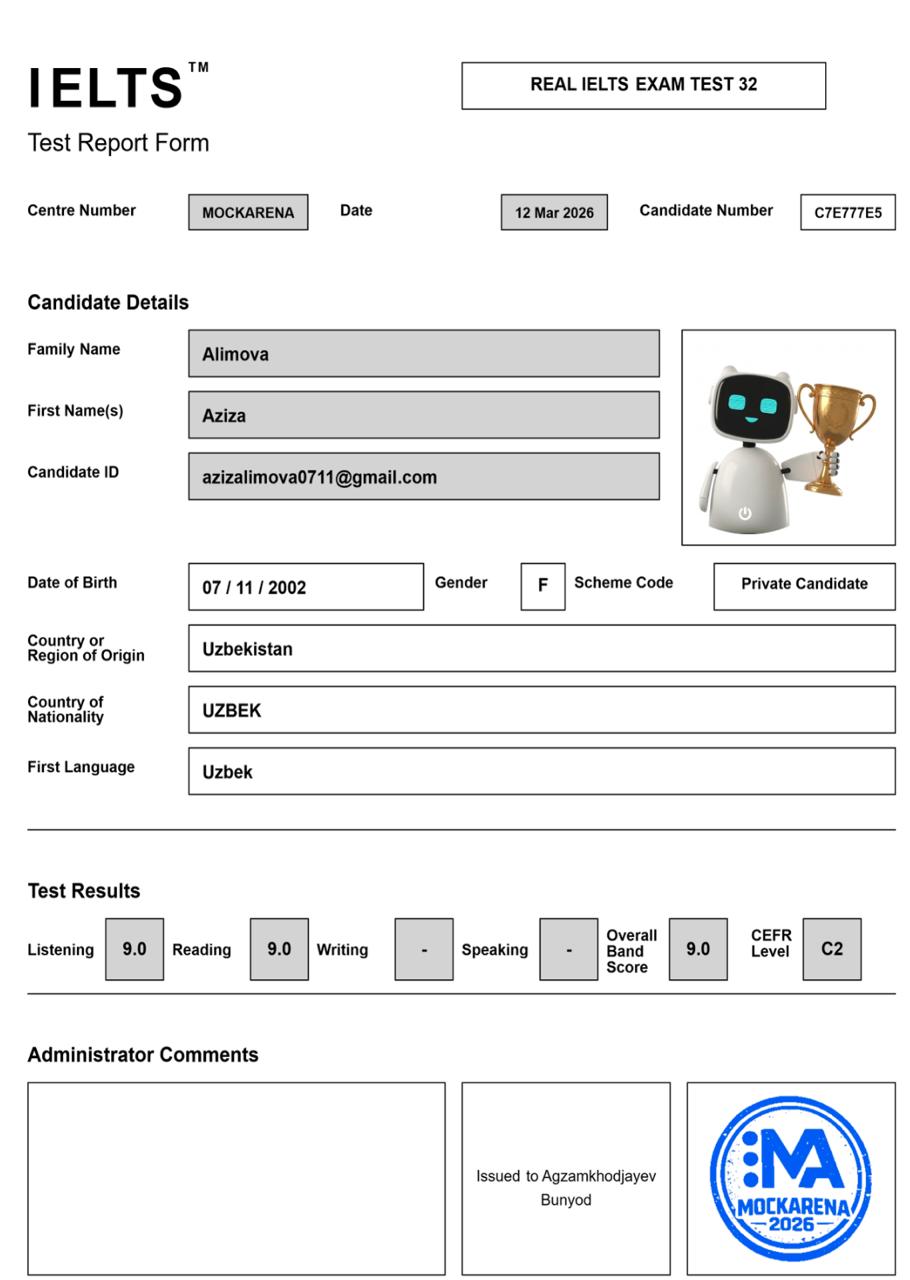
Certificate Download Feature (New)
You can now download an unofficial PDF certificate for mock tests you have completed on mockarena.uz.
How to Get Your Certificate
-
Go to your Test Results page
-
Click Download Certificate
-
Enter the personal details that should appear on the certificate
-
Click Download Certificate
Your certificate will be generated instantly as a PDF file.
This makes it easy to:
-
Share your results with friends
-
Post achievements online
-
Keep a record of your practice results
Thank You for Using MOCKARENA
We appreciate everyone who uses MOCKARENA and helps us improve the platform.
If you have ideas or suggestions, please share them through Chat with Us.
🚀 More improvements are coming soon!