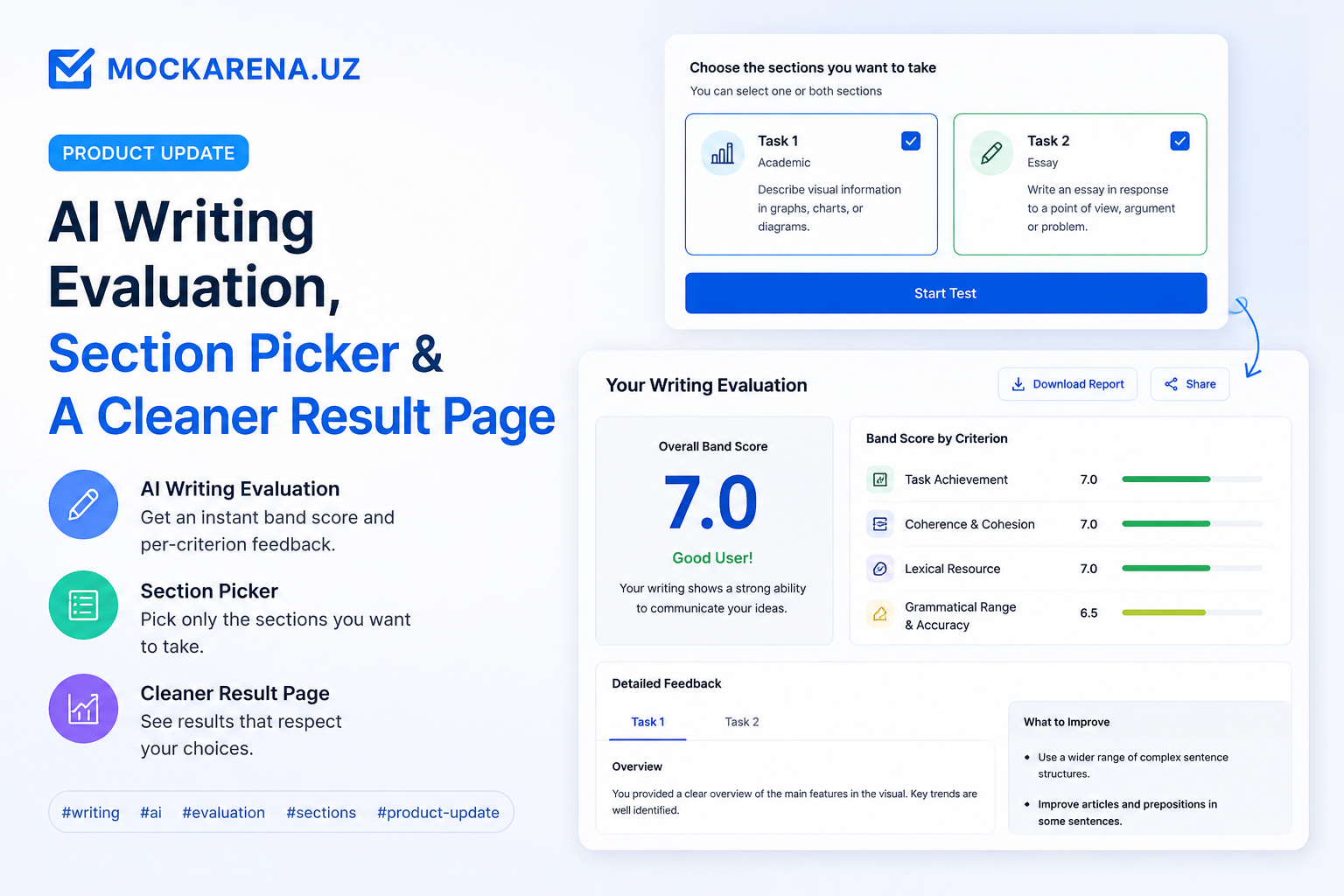
AI Writing Evaluation, Section Picker & A Cleaner Result Page
Get an instant band score and per-criterion feedback on your IELTS writing tasks, pick only the sections you want to take, and see results that respect your choices
We just shipped one of the biggest updates to Mockarena yet — and it's focused on the section most students lose sleep over: Writing.
If you took a test before, the writing tasks lived in a strange limbo: you submitted, the page told you a band would "appear later," and you crossed your fingers. That's gone. Writing is now scored end-to-end by AI, and the rest of the result flow has been retuned around it.
Instant AI evaluation for Writing
The moment you submit, the AI evaluator picks up your Task 1 and Task 2 responses and scores them against the four IELTS bands:
- Task Response — does your answer fully address the prompt?
- Coherence & Cohesion — is it organised and easy to follow?
- Lexical Resource — range and accuracy of vocabulary.
- Grammatical Range & Accuracy — sentence variety and correctness.
For each criterion you get:
- A band score (0–9, in 0.5 increments).
- Inline HTML feedback — what worked, what didn't, with examples pulled from your own writing.
You also get an Overall Review (a written summary), an Optimized Composition (an improved rewrite based on your draft), and a small General Feedback card with high-level advice.
While the AI is scoring, the writing card shows a "Feedback is being prepared" notice with a quiet progress shimmer — no more empty panels, no more guessing whether the test was submitted correctly.
You can also re-open any past attempt from your dashboard, jump straight to the writing review, and read the same feedback at any time.
Pick only the sections you want to take
Studying for Reading on a Tuesday lunch break? Just want a quick Listening warm-up before work? You can now select exactly which sections to attempt before you start a test.
The Start-Test modal has chips for Listening / Reading / Writing / Speaking. By default we pre-check the sections we can grade today (Listening, Reading, Writing — speaking lives on the roadmap), and the Writing chip carries a green AI badge so you know AI evaluation is included.
Your selection sticks around in your browser, so a refresh in the middle of an attempt won't lose your choice. Sections you skipped never appear in the runner — no phantom tabs, no timer running silently in the background.
A result page that respects your choices
The result page now reads your section selection and behaves accordingly:
- Sections you took render with bands, accuracy, and a deep-link into the per-question review.
- Sections you skipped render with a gray "Not attempted" label — not a misleading 0.0.
- Your Overall Band averages only the sections you actually took.
- If you didn't take Writing, the AI evaluation polling is skipped entirely — straight to the result, no waiting screen.
When the AI finishes scoring after submit, the page refreshes itself in the background; your overall band and writing band update without you having to reload.
Better notifications
Two notification types are now wired up:
- Writing evaluated — fires when your writing AI evaluation is ready. Clicking it takes you straight to the writing review for that attempt, not the test-taking page.
- Test published — fires when a new public mock test goes live, so you never miss a fresh set.
Notifications with a quoted preview (yours or from a report) now show that snippet inline, so you can see what's new at a glance.
Small polish, everywhere
- Cleaner icons across notifications and the writing review — flat lucide strokes, no chunky chips.
- The writing evaluation panel uses a band-tier hero, per-criterion cards, and expandable rows so you can scan first, drill in second.
- "10k+ students" — because that's where we are now. Thanks for being here.
Try a quick Writing-only attempt and let the AI evaluator give you feedback in under a minute. If anything feels off, the feedback button in your profile drops straight into our queue.